fiks case

Law Practice Management

Need
Move a lawyer's tracking of cases, clients and deadlines from scattered files and spreadsheets into one system.
Our part
Practice management software and admin panel.
Outcome
Case tracking, smart notifications, reporting and secure document storage in one system.
View Live Site→What we did
Client
fiks case
Year
2025
Sector
Technology
Web DevelopmentAdmin Panel

fiks case

Law Practice Management

Need
Move a lawyer's tracking of cases, clients and deadlines from scattered files and spreadsheets into one system.
Our part
Practice management software and admin panel.
Outcome
Case tracking, smart notifications, reporting and secure document storage in one system.
Client
fiks case
Year
2025
Sector
Technology
Web DevelopmentAdmin Panel

Case story

How fiks case came together.

  1. 01The challenge

    A lawyer’s day runs between hearing dates, deadlines and client files, which usually live in separate diaries and spreadsheets.

  2. 02How we solved it

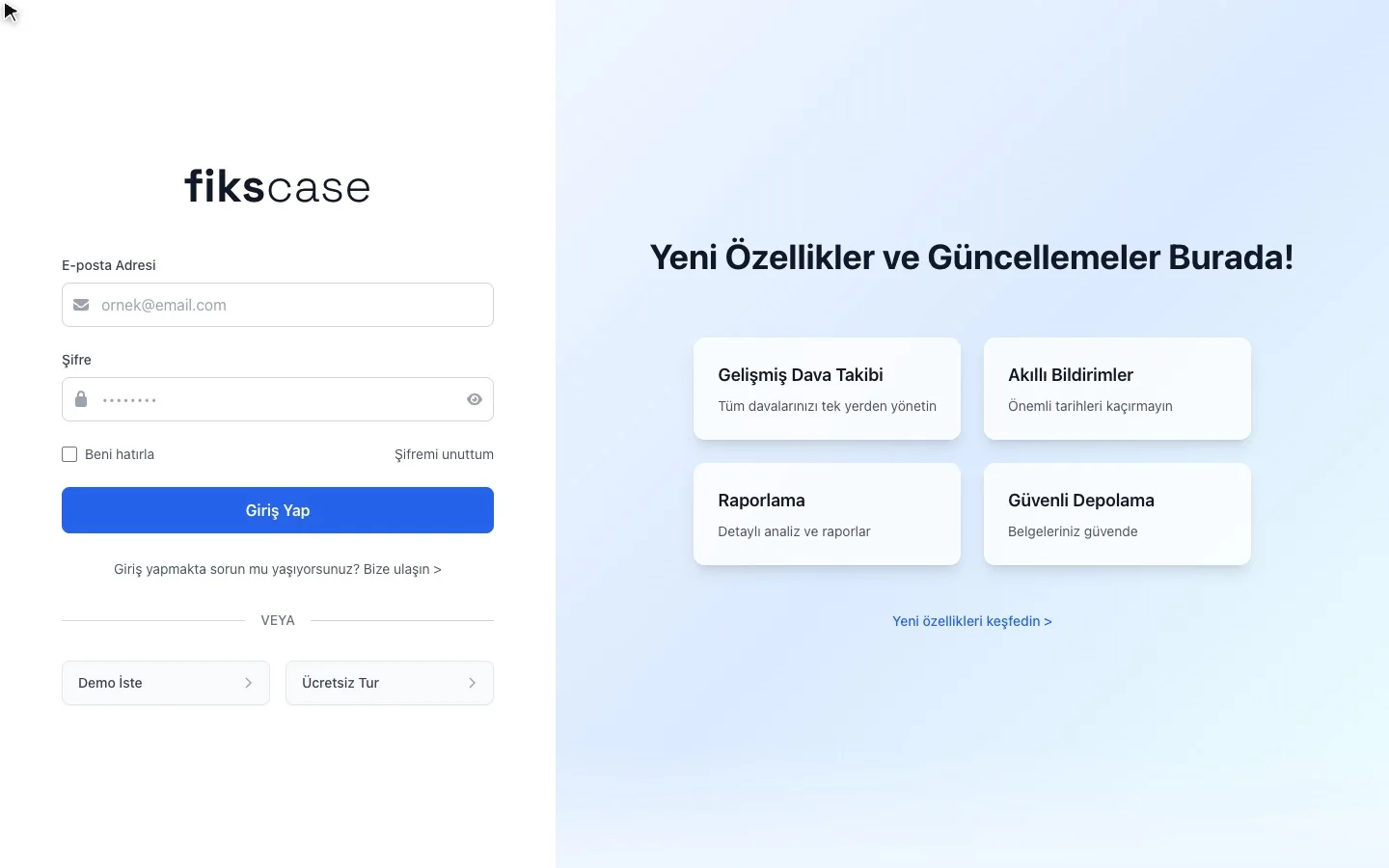
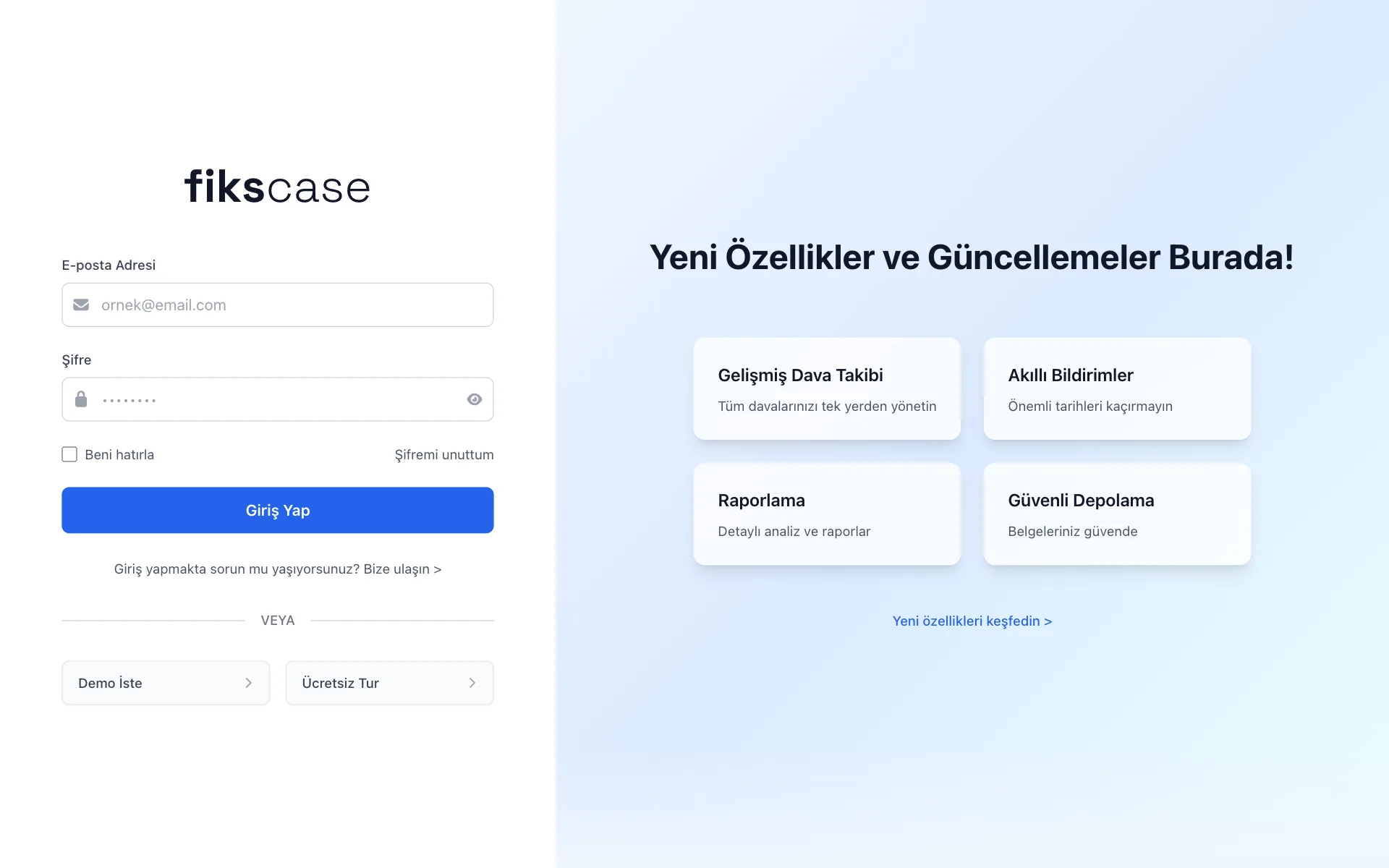
    We brought cases, hearings and clients into one system, added smart notifications for deadlines and hearing dates, reporting and secure document storage, and a space on the sign-in screen that announces new features.

    • Case tracking
    • Smart notifications
    • Reporting
    • Secure storage
  3. 03The outcome

    Lawyers see the file, the date and the document on one screen, and reminders come from the system.

  • 0core modules

Project scope

What did we do?

01

Custom Software

A scalable, secure codebase built around the business workflow

02

Admin Panel

A custom panel to manage content, products and requests without technical skills

03

Mobile-First Design

Built mobile-first to work flawlessly on phones and tablets

04

Performance & Speed

Pages that load in seconds thanks to image optimisation and a modern stack

The build

The pieces in the library, the site on the canvas.

A depiction of the order of work. The colours, type and screens are the project’s own.

Perfect compatibility on all devices. The same quality experience on every screen with Piyon Creative.

Design decisions

Every choice on screen
has a reason.

  1. Why are the labels above the fields?

    No reliance on placeholder text: each field keeps its name while you type.

    The screen plays it on the live site
  2. What if someone gets stuck?

    The help link sits right under the sign-in button, found without searching.

    The screen plays it on the live site
  3. What about people without an account?

    Two ways in from the sign-in screen: “Request a demo” and “Free tour”.

    The screen plays it on the live site
  4. Why isn't the right side empty?

    Every sign-in announces new features in short cards.

    The screen plays it on the live site
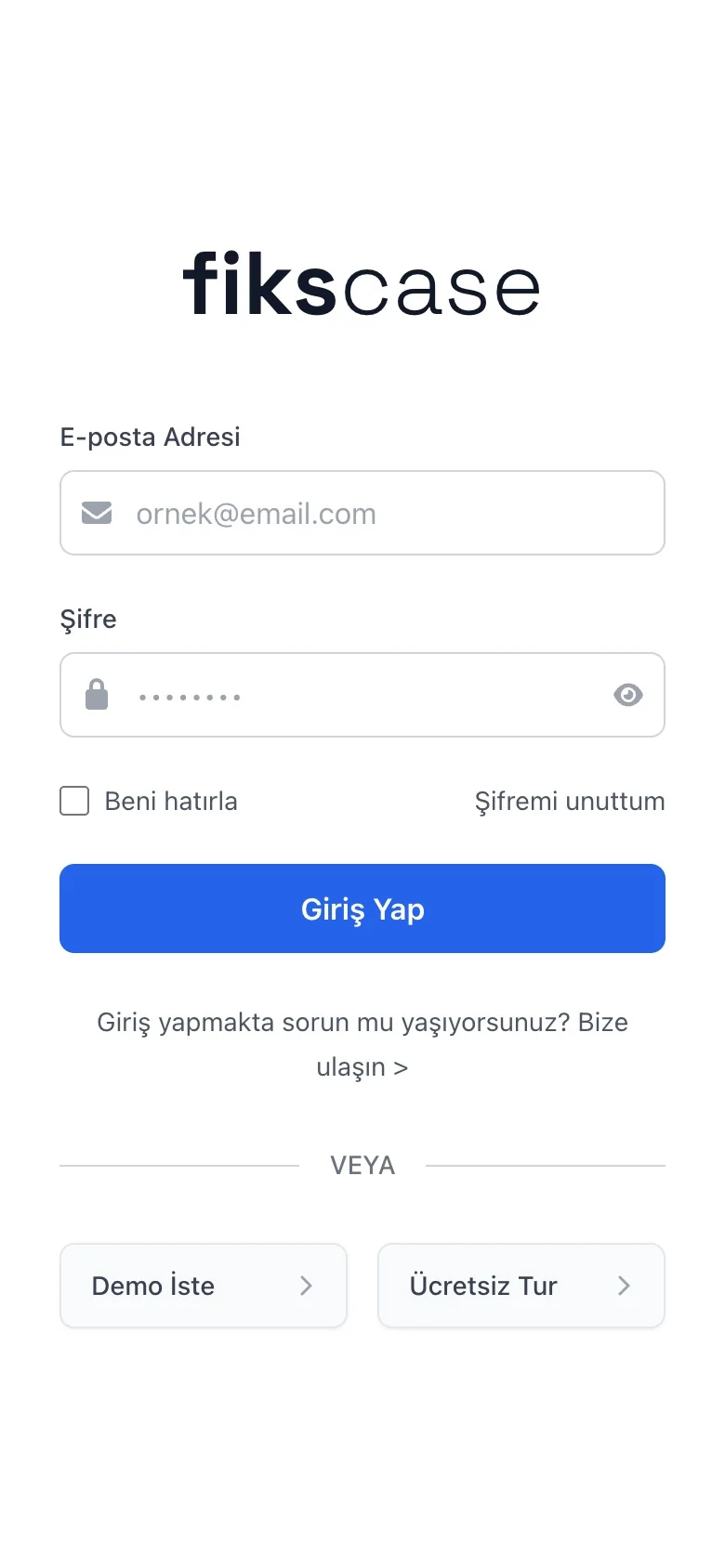

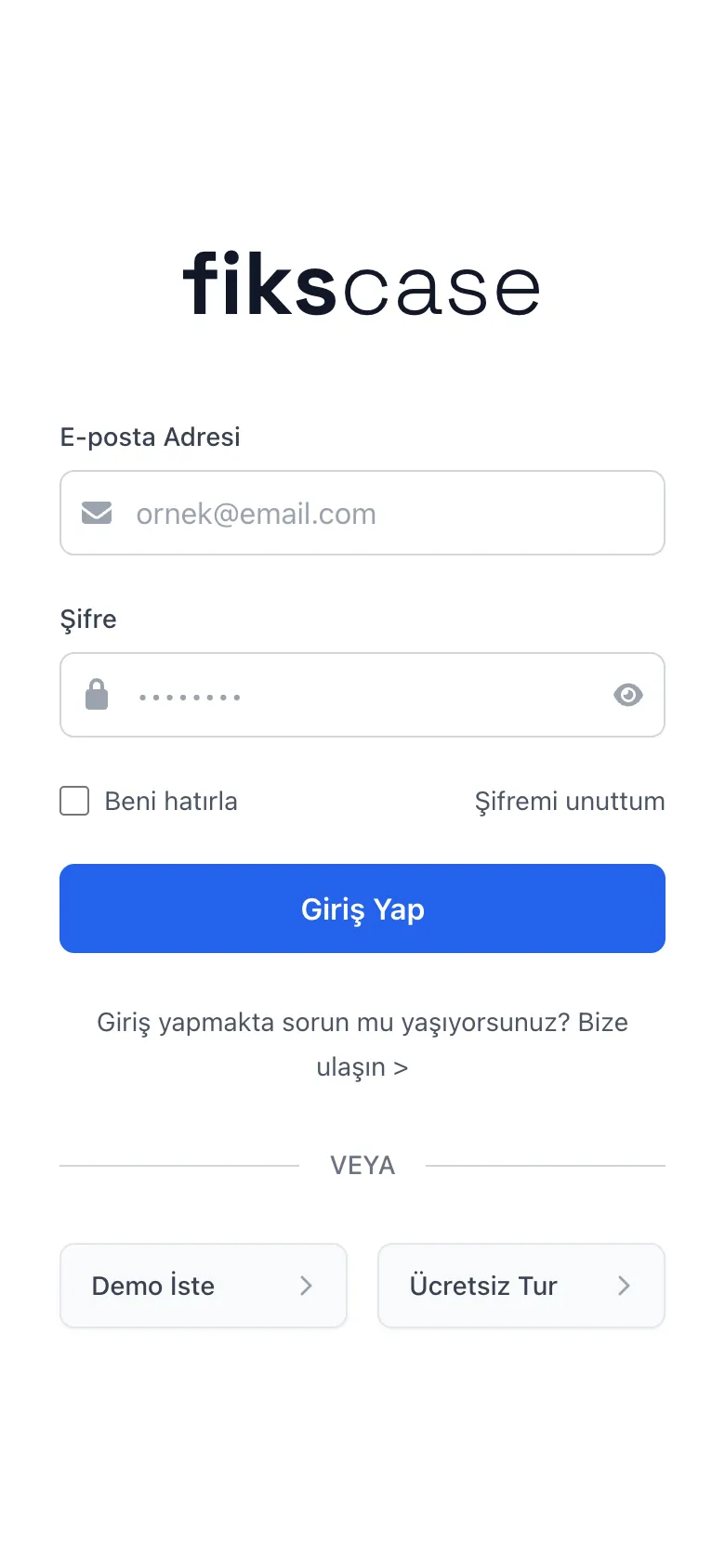
  1. Why can the password be shown?

    An eye icon to check and fix typos made on a phone keyboard.

    The screen plays it on the live site
  2. Why a full-width button?

    The sign-in button spans the screen, hard to miss with a thumb.

    The screen plays it on the live site
PIYON CREATIVE

Have a project in mind?
Let’s plan it together.

Explore our work
0534 896 94 20